From sketchbook to the App Store in four weeks
Raising a puppy is as much about an owner as it is about a puppy. I needed a tool to be a better puppy parent.
Things that you need at your fingertips
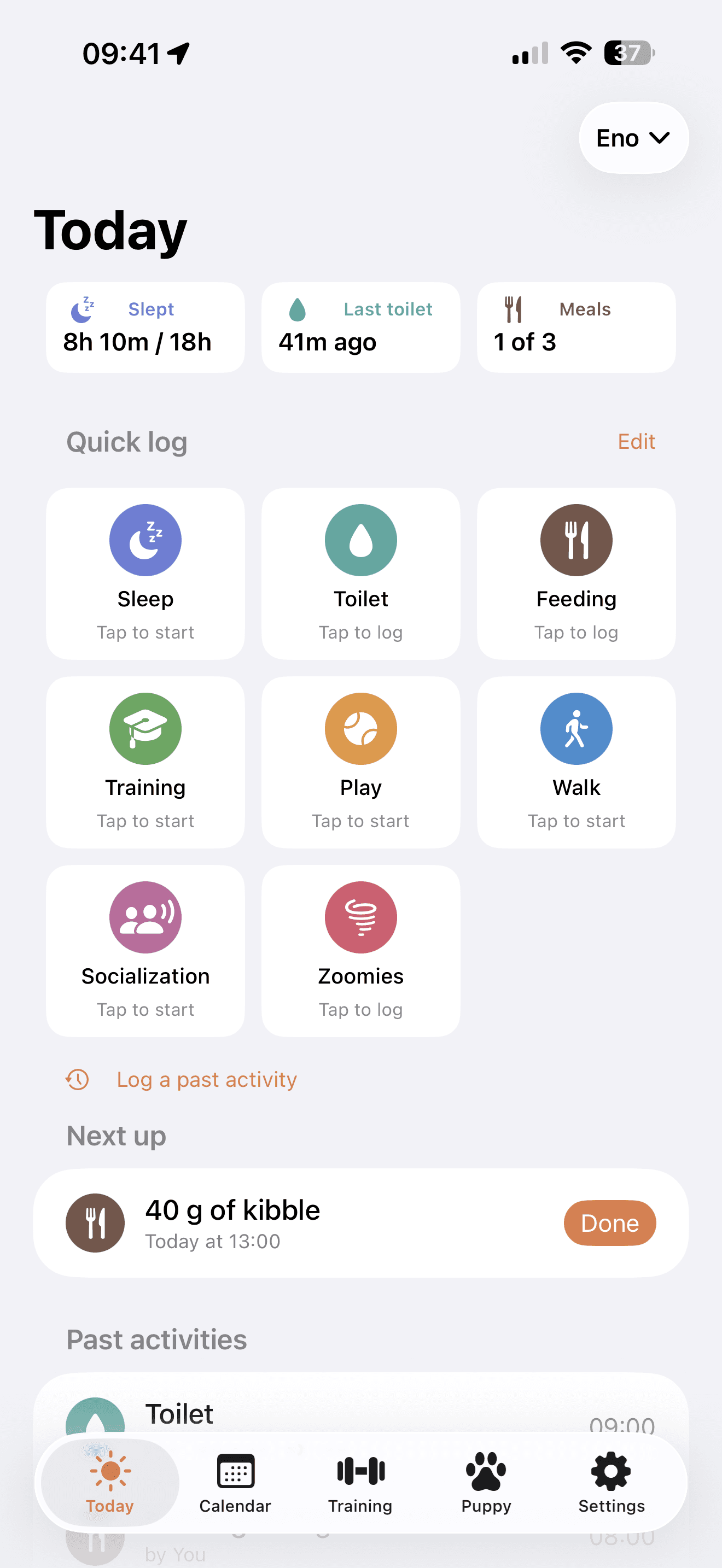
Sleep, potty training and food are the most important things. These are the three things I focused on in this app. From giving information on the Today tab, what and when, to logging. This information should be as accessible and easy to log as possible.
Logging. Logging. Logging.
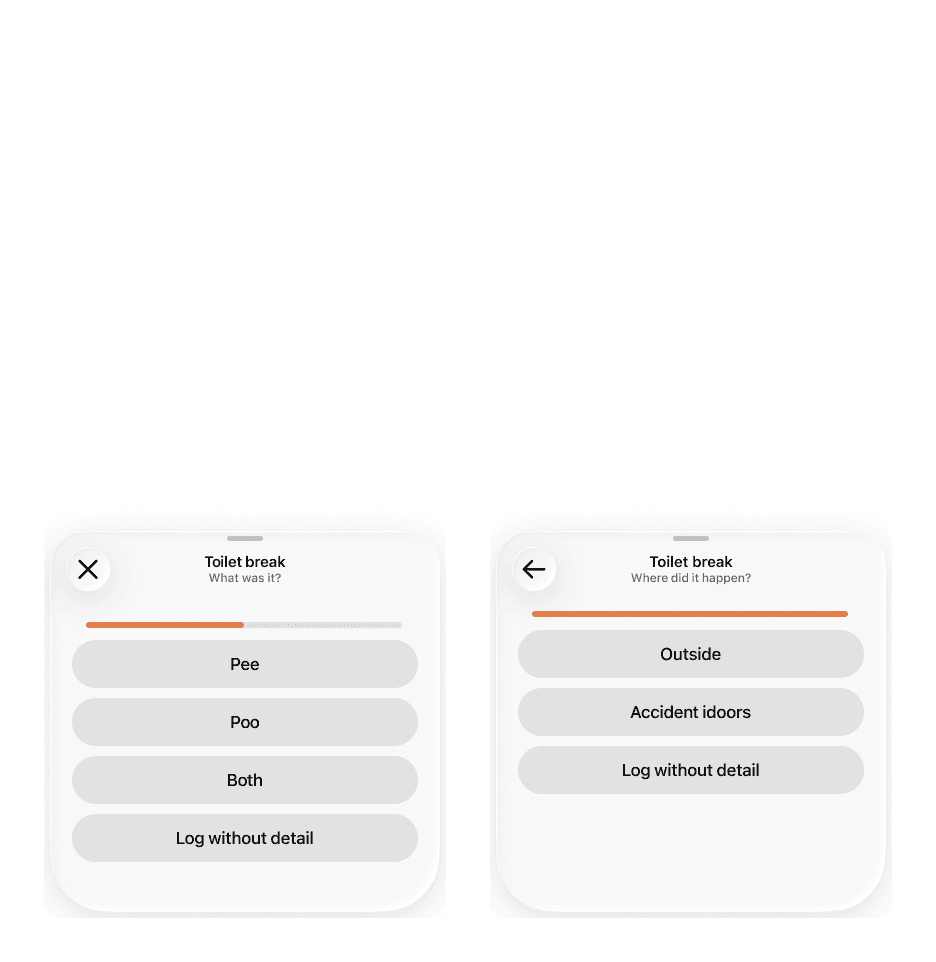
I tested several apps. Logging felt like the biggest friction. So I utilised iOS's features like widgets and Live Activity to make it as easy as possible to create a log for sleeping, toilet or feeding.
Log toilet from the lock screen.
1 / 6Planning the day
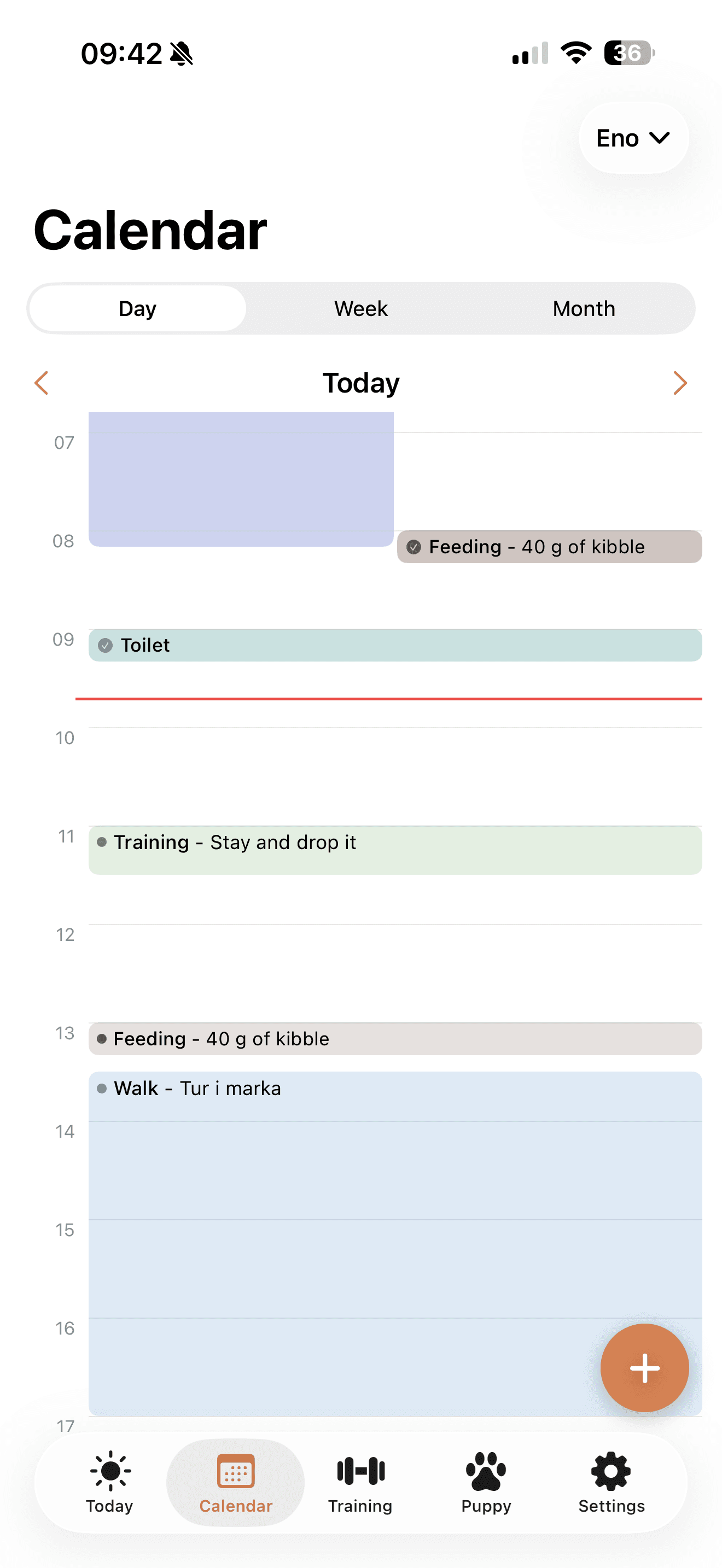
Good routine, enough sleep and a lot of socialization is the key for the happy puppy. This requires good planning. I added a calendar feature that helps puppy's parents to succeed.
Co-parenting
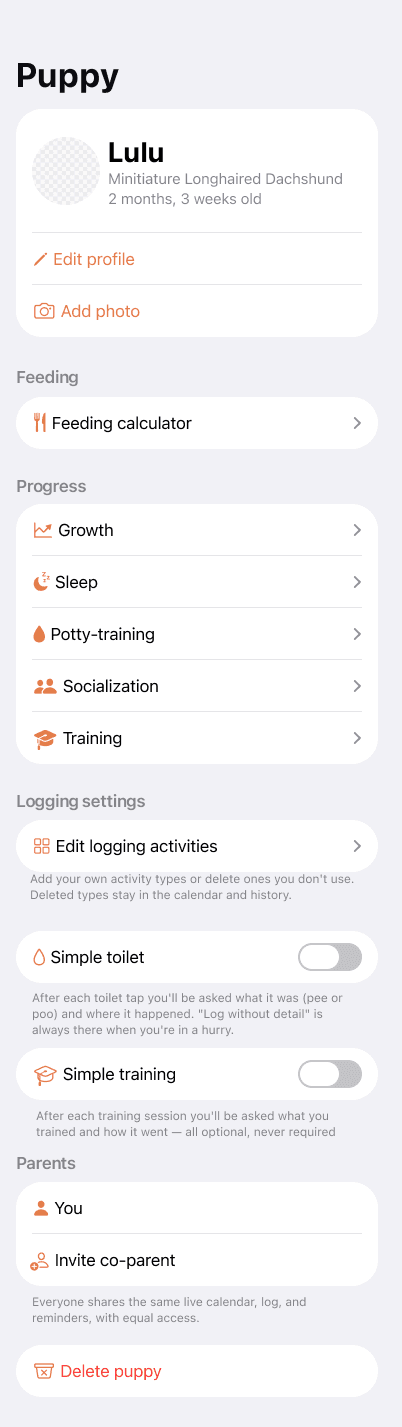
Our pup has two parents. So the app allows co-parenting. I went further and made sure that whatever one parent did, the other parent can stay informed, so that they don't have to feed twice, run up and down the stairs for a toilet that the puppy doesn't need, or just stay updated if they want to.
Inviting a co-parent — one code, equal access.
1 / 2Feeding the beast
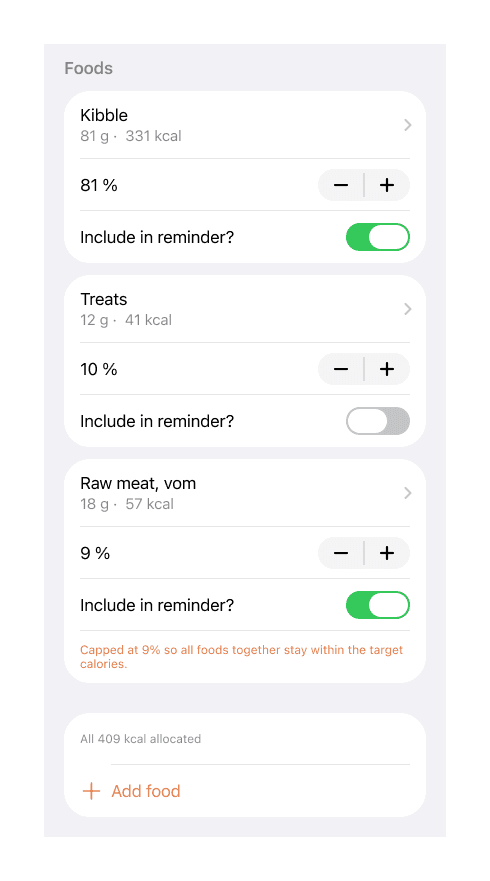
Overfeeding and especially underfeeding can be harmful to little pups. The feeding calculator feature allows you to calculate how many calories your pup should consume during the day. In addition, you can compile a daily menu consisting of different things and decide what is the part of meals and what is just snacks during the day.
Tracking the progress
It is fun to see the progress, so users can see the progress if they want to. Easily accessible, but not used to shame or pressure puppy parents.
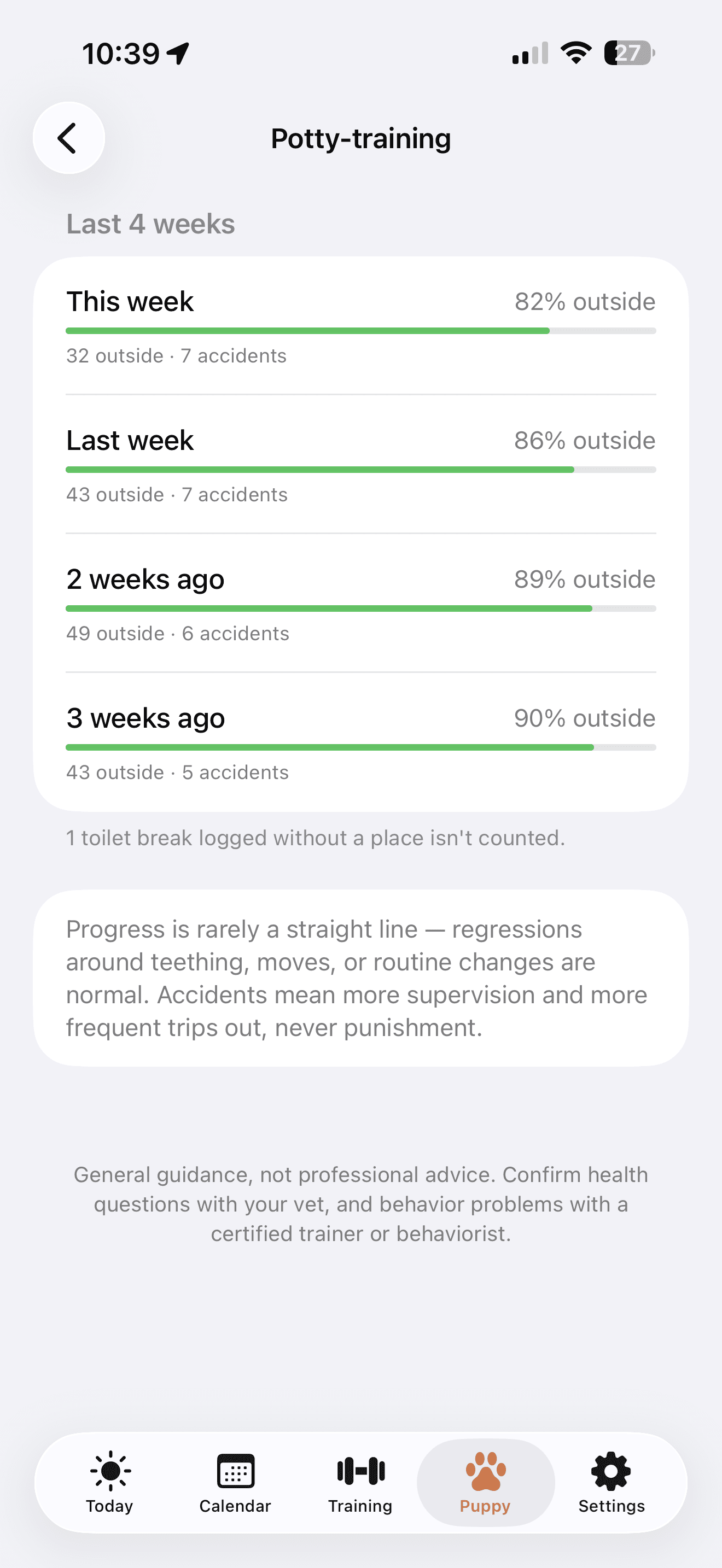
House-training, week over week.
1 / 3Alone training, in small, kind steps
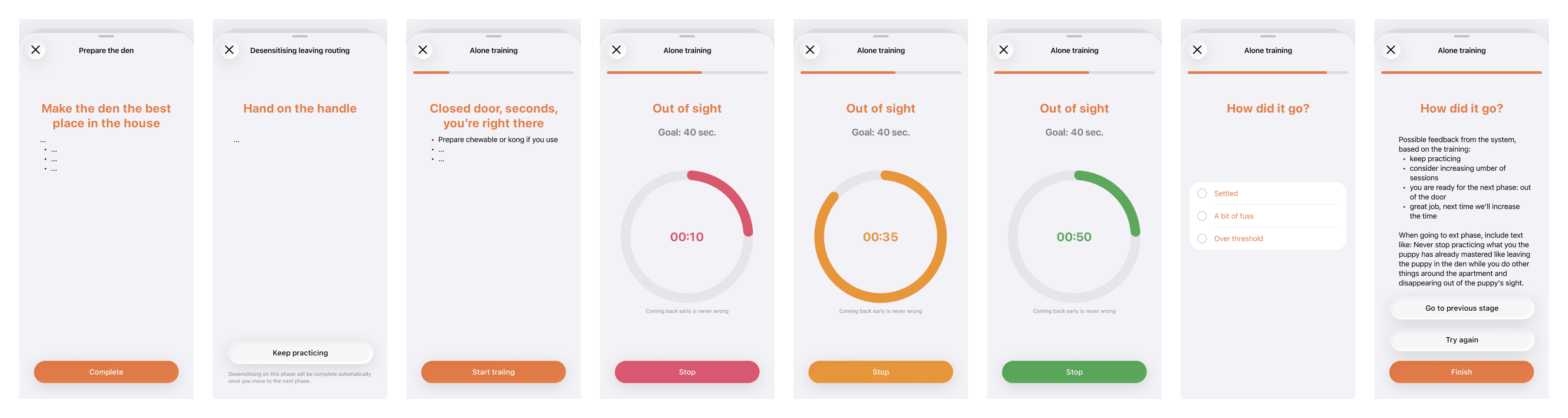
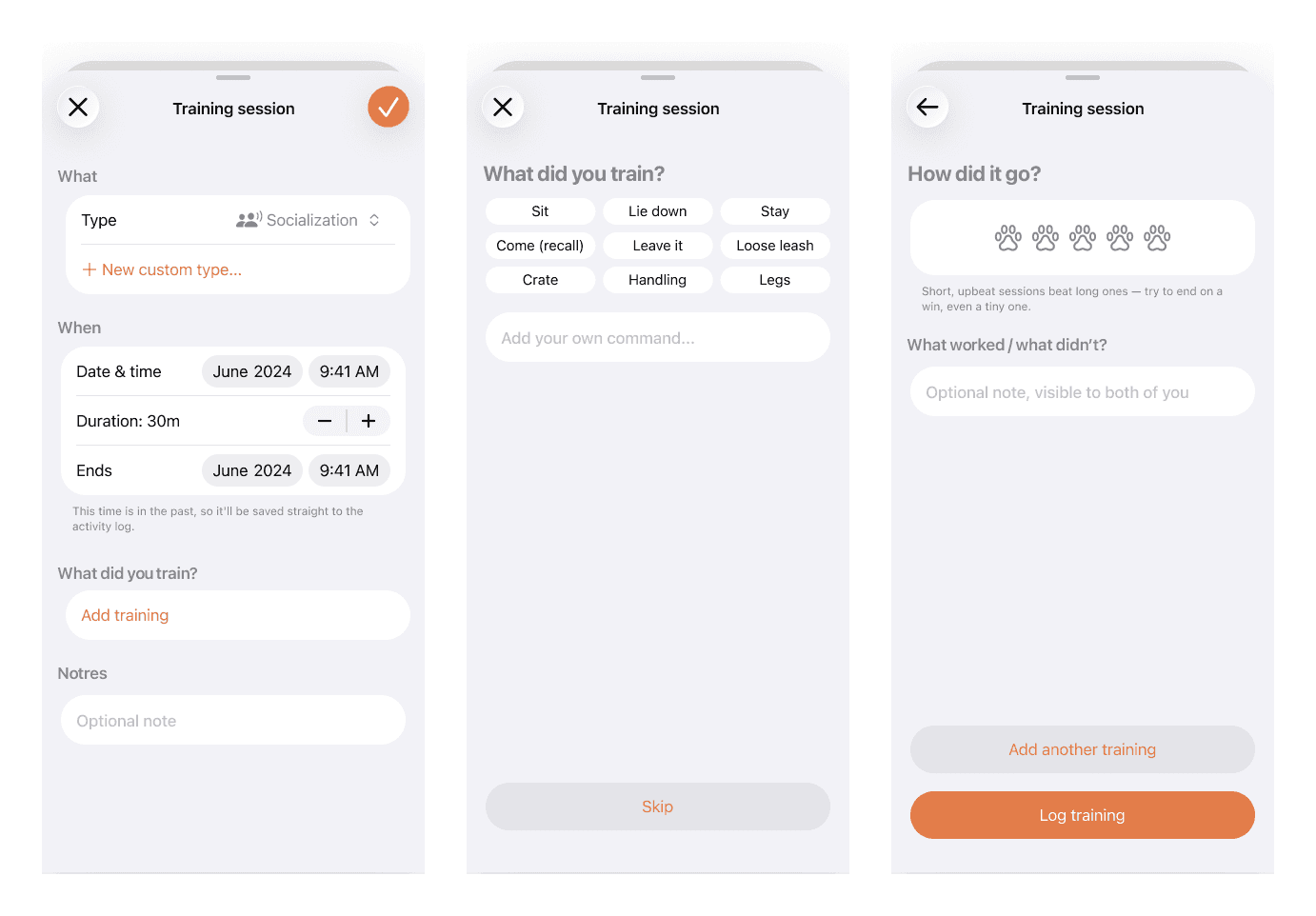
Alone training is important both for the puppy and parents. The puppy should be able to relax and calm on their own. The parents will eventually have to go to work. I conducted thorough research and created a guided training that helps both the pup and the parent, with the rules that would never harm the pup.
Nudges, not noise
Every notification in Lulu is opt-in, per person and per puppy. Planned reminders you set yourself, toilet nudges, co-parent updates and training practice windows can each be switched on, off, or pointed at just one parent. In addition a set of calm rules always applies: quiet hours silence everything, a sleeping puppy is never nudged, and reminders keep at least 15 minutes apart. The goal is to help the household, not add to stress.
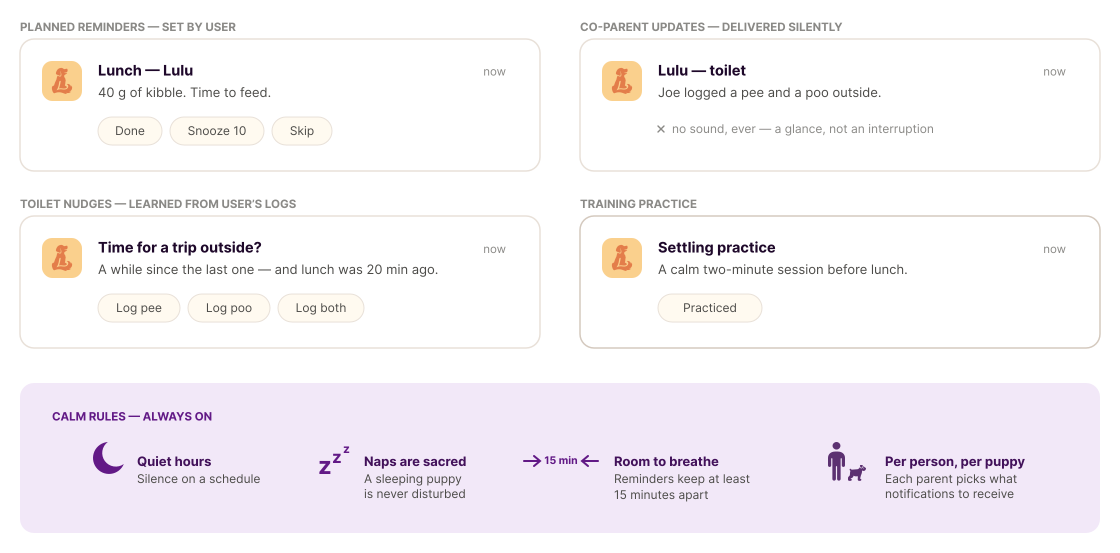
Potty training is hard. I made an extra effort to help the users avoid accidents indoors. Lulu learns the puppy's rhythm from what you log: wake-ups, meals, the last trip out. The app suggests going outside just before it's likely needed. A logged break earns quiet, and as the puppy grows, the nudges back off on their own.
Describe, sketch, ship
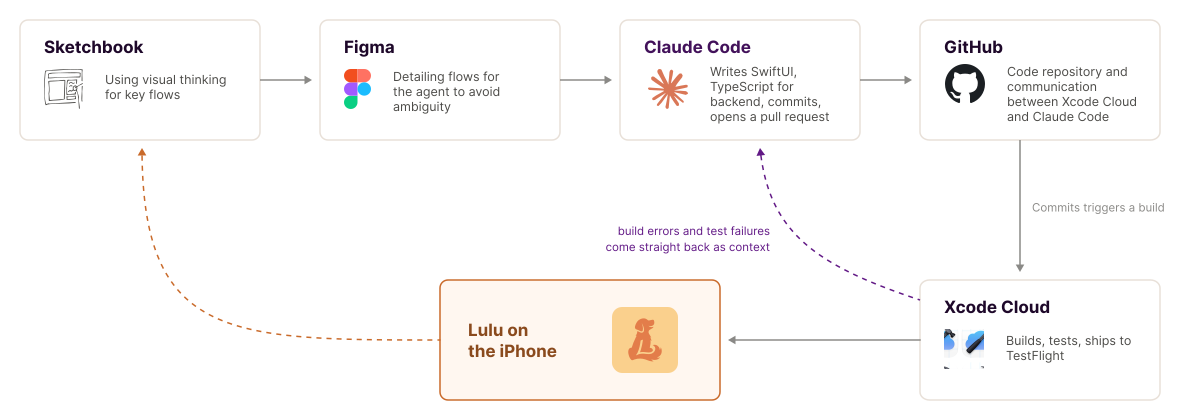
I use pen and paper to structure my thoughts, Figma for complex visualisations. Otherwise I use chat to explain the features. Everything else is automated. Claude Code writes the SwiftUI and the backend and pushes to GitHub. Xcode Cloud picks the branch up, builds it, runs the test suite and delivers it to TestFlight on my phone. When a build breaks or a test fails, the errors flow back into Claude as context, and the next attempt starts from them. The result: I can work on my app from a car on the way to the festival.
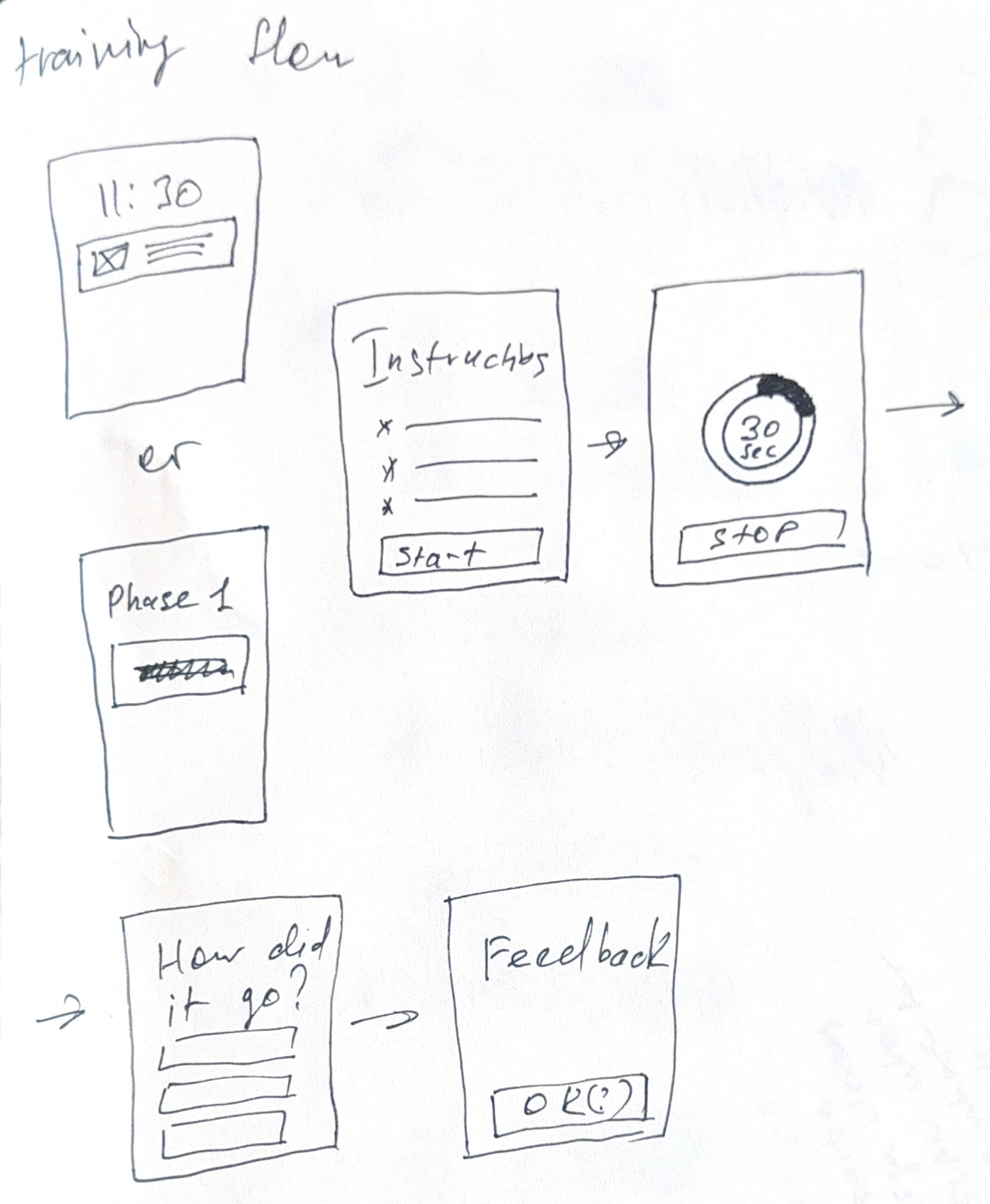
Sketches that became features
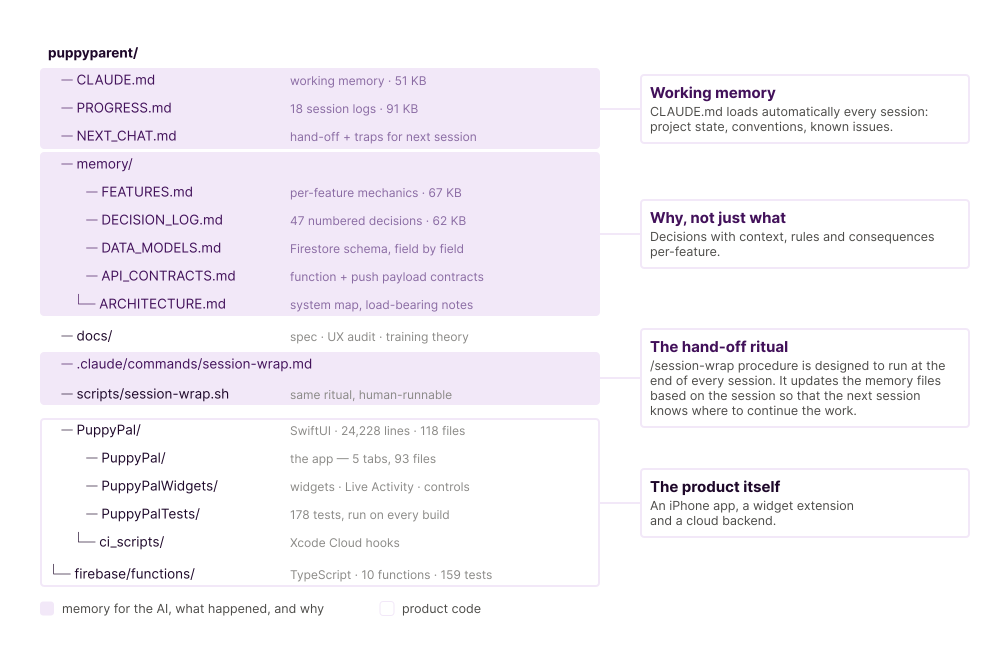
Claude's memory
I built the repository that carries a deliberate context layer: CLAUDE.md as working memory with the project state, conventions and known traps; a decision log of numbered choices and their reasons; per-feature notes on the device; and a session log that updates by the /session-wrap procedure at the end of each session.
How Lulu was born
This summer my partner and I brought home a longhaired dachshund puppy called Lulu. The first weeks were more overwhelming than either of us expected. We made a chart to log activities and help us to structure the day and get a good routine. It worked. It helped us to become better puppy parents. We had accidentally paper-prototyped an app.
Then I went on vacation. I was wondering whether I could make it digital entirely on my own, with AI carrying the code. I stayed deliberately inside Apple's ecosystem. Live Activities, widgets and system controls made the fastest possible logging nearly friction free, and the iOS design system meant nothing had to be invented from scratch. Firebase carried the shared backend, so both phones always told the same story.
Four weeks later, Apple approved it.