One portal to rule them all: reimagining Norway's student administration system

Mockup by Mockuuups Studio
Norwegian students juggle two systems and a separate login for every institution to manage their education
In this project I explored how to apply the core model framework to design information architecture and navigation.
Restructuring navigation around tasks, not institutions
I used the core model (kjernemodellen) to merge portals and rethink navigation and the landing page: who is the user, what do they want to accomplish, where are they coming from, and where should they go next.
This analysis revealed that students use the portal to check exam results, pay semester fees, register for courses. The institution becomes relevant only when the task itself is institution-specific.
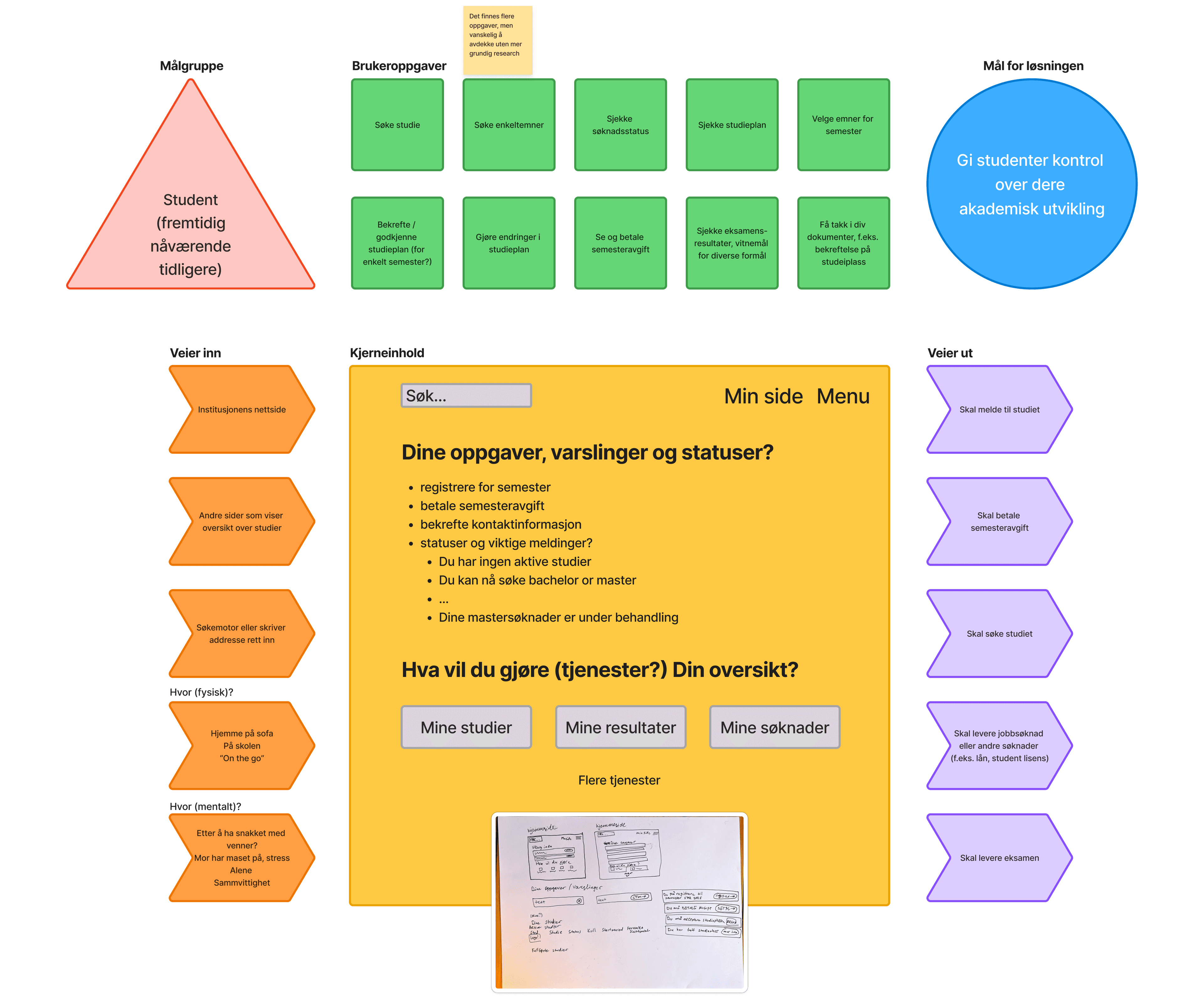
Core model (kjernemodellen). Mapping user tasks, paths in and paths out
How it looked before
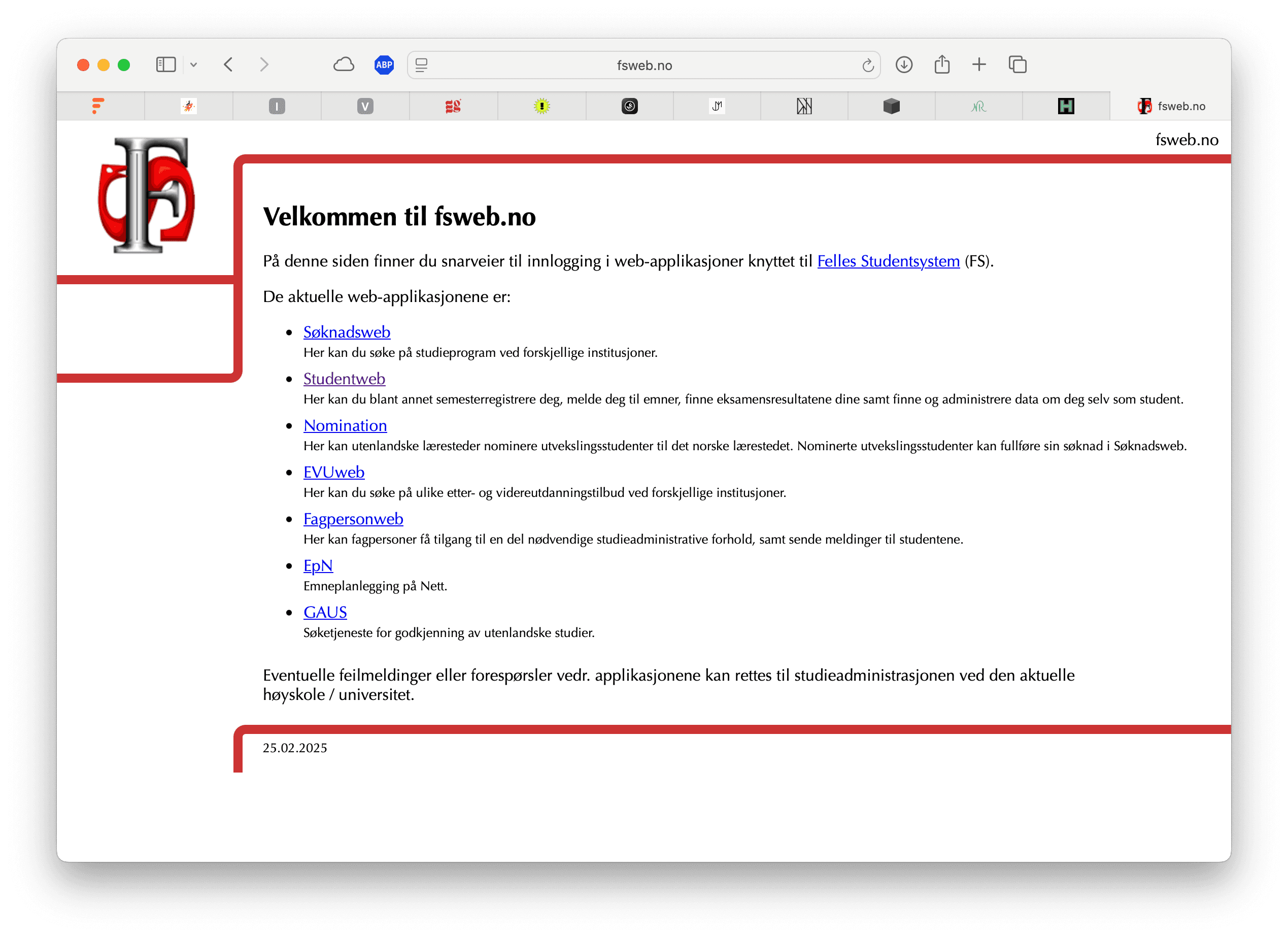
Choose the system, søknadsweb or studentweb
1 / 8Choosing a wizard pattern for semester registration
Semester registration scored lowest in the Gartner evaluation. It is infrequent, information-dense, and high-stakes. I evaluated three approaches: a single long form, an accordion layout, and a wizard pattern.
A long form would show everything at once but risks overwhelming users and increases error rates. Accordion navigation offers overview but makes it easy to skip steps or lose track of sequence.
I chose the wizard pattern. It breaks the process into small, ordered steps with clear progress indication, which is well-suited for tasks that are both complex and rare.
Building on Digdir's design system, extending where needed
To focus effort on the user journey rather than reinventing UI components, I adopted Digdir's public sector design system as the foundation. Where the design system fell short, I built custom components.
The process behind the decisions
Two systems, three institutions, zero overview
Felles Studentsystem (FS) is the backbone of Norwegian higher education administration. Students use Søknadsweb to apply for programmes and Studentweb to manage their studies. Despite looking nearly identical, these are separate applications with separate logins, one per institution.
For a student applying to master's programmes at three universities, this means logging in and out repeatedly, uploading the same documents multiple times, and never quite knowing which system holds the information they need. Semester registration, one of the most frequent tasks, scored lowest in Gartner's evaluation of the system.
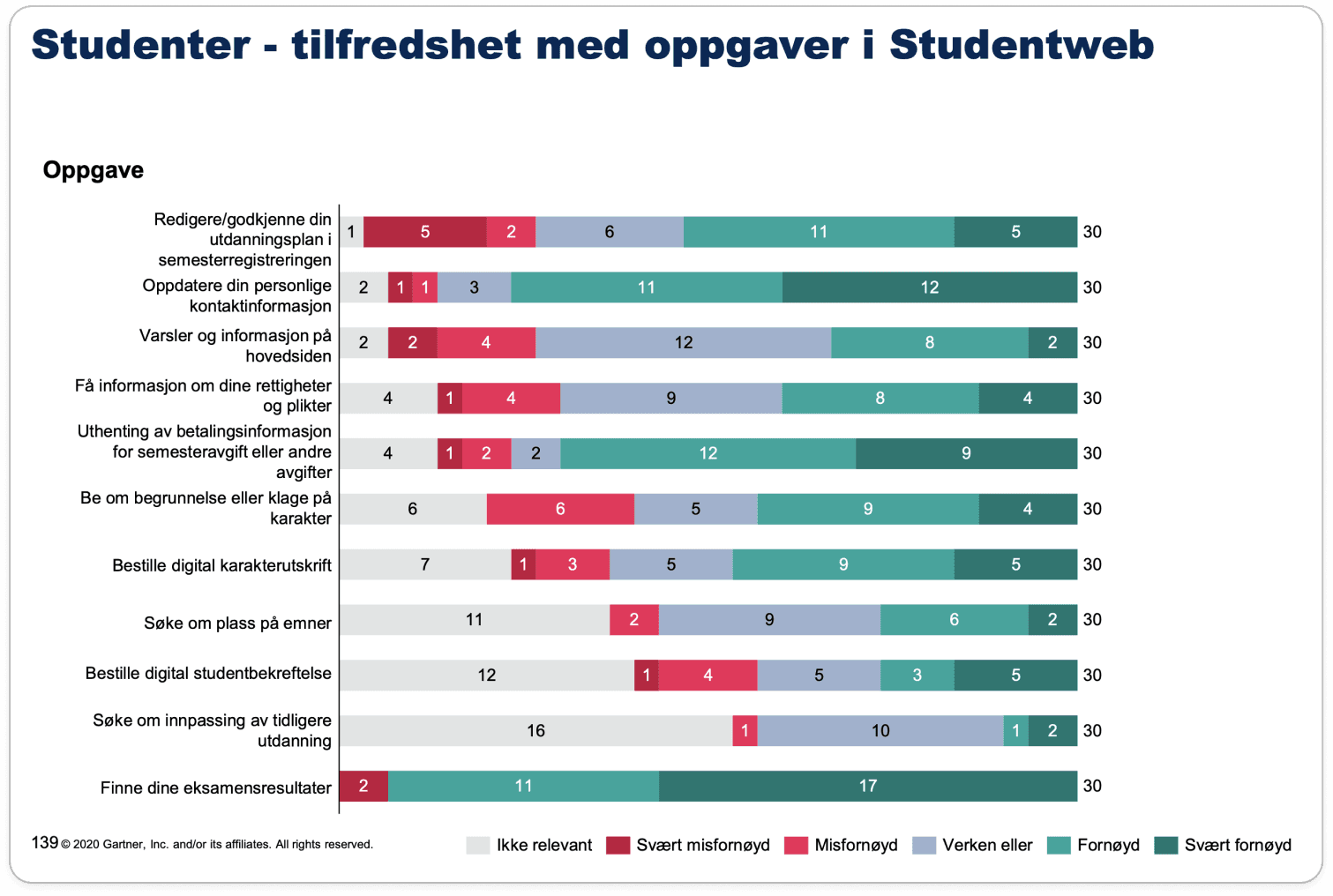
Gartner report
I conducted desk research using deep AI search, heuristic analysis of existing portals, service safari and self-ethnography to map the current experience. Key findings included:
Design opportunities
From academic exercise to design conviction
What I learned
Working end-to-end on this project reinforced how much design quality depends on understanding the problem before reaching for solutions. The service safari and heuristic evaluation grounded every later decision in observed friction, not assumptions.
I also learned the value of choosing appropriate design patterns deliberately. Evaluating the wizard against alternatives (long form, accordion) forced me to articulate trade-offs, not just preferences. That rigour is something I now carry into professional work.
Working with Digdir's design system taught me how to design within a complex existing system — understanding its constraints, leveraging what it offers, and only building custom components when absolutely necessary. This discipline of restraint is, I think, as important as the ability to create from scratch.
What I would do differently
With more time, I would have conducted proper user interviews. The desk research was valuable, but direct conversations with students at different stages of their studies would have surfaced needs I may have missed.
I would also have explored the administrative side more deeply. The Gartner report highlights challenges for institution staff, not just students, and a truly improved system should serve both audiences.